Nostal Solitaire: Classic Card
- 4.1
- Rating
- 1.00M
- Installs
- Free
- Price
 Analysis by App-foxy
I spent time with Nostal Solitaire: Card Games as a simple, familiar card game for short breaks rather than as a feature-heavy challenge platform. It is a free solitaire game from Infinite Joy Ltd., aimed at anyone who wants the traditional card-table experience on a phone or tablet without a complicated learning curve. The presentation is easy to understand: deal a game, move cards with deliberate taps or gestures, and keep working toward a clean finish.
That straightforward approach is the main reason I can see myself recommending it to a friend. It does not ask me to learn a new card system before I can play. At the same time, its simplicity means the quality of the experience depends heavily on how comfortable you are with the available controls and settings. If you want a calm, repeatable game for a commute, a waiting room, or a few quiet minutes before bed, it makes sense. If you expect deep progression, competitive events, or a large collection of modes, you may outgrow it quickly.
How a normal game feels from the first deal
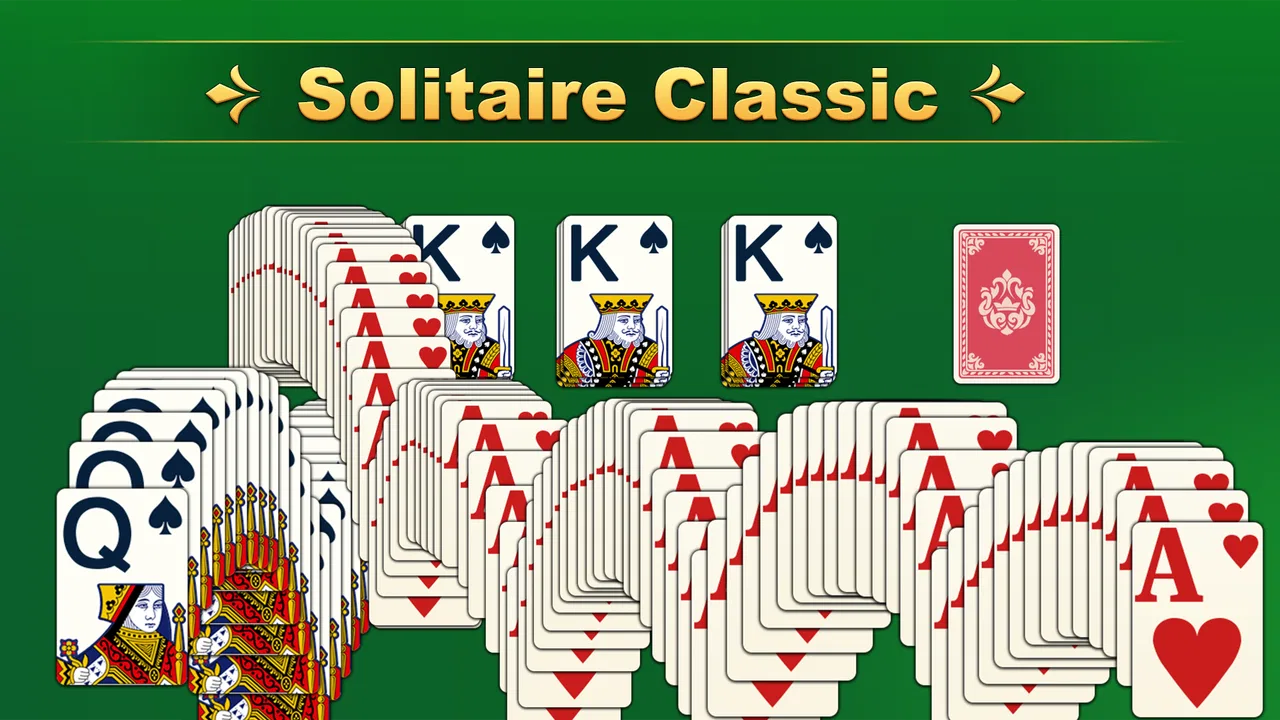
The baseline workflow is pleasantly familiar. I open the game, begin a solitaire hand, and focus on uncovering hidden cards while arranging visible cards in descending order with alternating colors. The objective is recognizable even if you have not played digital solitaire recently, so the game works well for casual players and for people returning to the format after years away.
You May Also Like

 Blood Strike: 2.5 Anniversary
Blood Strike’s Loadouts Turn Every Drop Into a Tactical Gamble
A close look at Blood Strike’s custom loadouts: how fast access to signature weapons reshapes its battle royale rhythm, rewards preparation, and narrows the gap between fights.

 Pandora - Music & Podcasts
Pandora’s Music Is Easy to Start, but Harder to Recover
Pandora’s strength is its low-effort path from a seed to a station. Its weak spot is how much confidence it asks you to place in connection, setup, and quiet recovery.

 8 Ball Pool
 Is Built on Rivalries, Rematches, and Routine
A close look at the rivalries, rematches, shared routines, and unanswered safety questions that turn a quick pool match into a persistent mobile community.

 Samsung Music
’s Quiet Strength Is Playing What You Already Own
Its reach comes less from spectacle than from dependable access to a personal library. That simplicity is both the app’s strongest retention engine and its ceiling.

 AccuWeather: Weather Radar
AccuWeather Review: A Quick, Clear Forecast for Everyday Decisions
For everyday plans, the best forecast is the one you can understand quickly. AccuWeather makes rain timing, radar, and local conditions easy to act on, with a few trade-offs.

 Hill Climb Racing
Why Hill Climb Racing Still Turns Crashes Into One More Run
A tiny car, a bumpy hill and one more upgrade: Hill Climb Racing keeps resurfacing because its simple chaos makes every near-miss feel personal.
More From Our News Desk



What I like most is that the basic loop does not waste time. Solitaire is at its best when the distance between deciding to play and making the first useful move is short. Nostal Solitaire keeps that feeling intact. I can treat a hand as a quick mental reset, or stay with it longer when the layout starts demanding careful planning.
My advice is to avoid rushing the opening moves. The obvious move is not always the best move. Before moving a card to a foundation pile, I look at whether that card is helping me expose a hidden card in the tableau. A low card that appears ready to be placed may be more valuable where it is if it keeps a larger sequence flexible. This habit matters more than fast tapping, especially in hands where the first few choices determine whether the layout remains open.
The game is also a good fit for an everyday pause because solitaire does not require sound, a second player, or a long uninterrupted session. I can play a few moves while waiting for a bus, stop without losing the whole purpose of the break, and return when I have more attention. That makes it more practical than many card games that depend on a full match or a constant connection to other players.
For a realistic routine, I would use it after lunch or during a short evening break. I start one hand with the goal of making thoughtful moves rather than simply finishing quickly. If the layout becomes awkward, I pause instead of repeatedly tapping at random. That small change makes the game feel more like light brain training and less like filling time with automatic gestures.
Why the familiar format still works
The classic structure gives the game a useful balance between relaxation and concentration. I am not memorizing a large rulebook, but I still need to scan colors, ranks, empty spaces, and the order of the draw. That combination is why solitaire remains effective as a low-pressure mental activity: the rules are simple enough to enter quickly, while the decisions can become surprisingly subtle.
It is worth remembering that a solitaire result is not always a perfect measure of skill. The deal itself can create a generous or difficult path, and a poor position may come from an early choice rather than from a lack of understanding. I find the best mindset is to treat each hand as a compact puzzle. Winning is satisfying, but noticing why a position became blocked is often more useful for improving the next attempt.
Compared with a physical deck, this version is cleaner and more convenient. There is no setup, no need to gather cards, and no risk of losing a card under furniture. Compared with a broad digital solitaire collection, however, its appeal is narrower. People who enjoy switching between many variants may prefer an app built specifically around variety. Nostal Solitaire makes more sense when you want a focused, recognizable experience.
Settings and habits that make the game easier to live with
Before settling into regular play, I recommend checking the available settings instead of accepting the first control style automatically. On a touchscreen, small differences in how cards are selected and moved can change the whole experience. A player who prefers precise taps may feel more comfortable with a tap-based workflow, while someone who likes direct manipulation may prefer moving cards with a gesture. The right choice is the one that reduces accidental moves.
I also pay attention to visual comfort. Solitaire involves repeated scanning of small ranks and suits, so screen brightness, text clarity, and the distance between the device and my eyes matter more than they do in a quick arcade game. I would rather play with a comfortable display and slower decisions than strain to recognize a card and then undo a mistake.
Settings are especially important for people who play at night or in shared spaces. If audio options are available on your installation, I would check them before starting a session in a quiet room. A calm card game should not force an awkward interruption because a sound was louder than expected. This is a small preparation step, but it is the kind of detail that separates a relaxing routine from an irritating one.
The current version is 3.0.1, and the game supports devices running Android 8.0 or later. That makes it accessible to people using older compatible Android hardware, although the actual comfort of play will still depend on screen size and responsiveness. On a very small display, I would take extra care with moves involving several stacked cards because the visual separation can be less forgiving.
The age rating is Everyone, which fits the uncomplicated nature of the game. I can recommend it for a family tablet or for a relative who wants a familiar card pastime without complicated themes. The important distinction is that an Everyone rating does not automatically mean every player will enjoy it. Someone looking for rapid action may find the deliberate pace too quiet, while someone who enjoys calm puzzles may appreciate exactly that quality.
Small routines that prevent avoidable mistakes
One useful habit is to pause after every major reveal. When a hidden card becomes visible, I do not immediately move the first available card. I scan the tableau again, check whether an empty column can be created, and consider whether a sequence should be rearranged before touching the foundation. This takes only a few seconds but prevents the kind of tunnel vision that makes a promising hand collapse.
Another practical habit is to keep the draw sequence in mind. When I cycle through available cards, I try to remember which useful cards are temporarily buried rather than treating every pass as a fresh search. That helps me plan around the order of access. It also makes the game feel more strategic without requiring any special feature beyond the normal solitaire structure.
I would also avoid using undo as a substitute for thinking. If the game offers an undo control in your version, it is most valuable as a learning tool: make a move, notice the consequence, and step back when you understand that another option was stronger. Constantly rewinding every choice can make a hand feel mechanical and can hide the reason a position failed.
Faster patterns for experienced players
Once the basic controls feel natural, speed comes from recognizing patterns rather than tapping faster. I look first for moves that expose hidden cards, because opening the tableau usually creates more future choices than simply advancing a card that is already available. A move that reveals information has a higher strategic value than one that only changes the location of a visible card.
Empty columns deserve special attention. An open space is not merely a place to park any card; it is a resource that can help relocate a long sequence or uncover a blocked card. I try not to fill an empty column immediately unless the move improves the overall structure. Holding that space for the right king or sequence can make the difference between a flexible layout and one that locks itself.
Foundation moves require judgment too. Moving cards upward feels like progress, but sending every available card to the foundation as soon as possible can remove useful building material from the tableau. I usually ask whether the move will expose a card, free a column, or improve access to the draw. If it does none of those things, waiting may be smarter.
There is also a useful difference between a safe move and an informative move. A safe move preserves the current arrangement, while an informative move reveals something that changes what I know about the hand. When the two options do not conflict, I favor the informative one. This is one of the clearest ways to make the game feel less random: I am deliberately increasing the amount of useful information available to me.
For quicker sessions, I use a two-pass approach. During the first pass, I search for moves that reveal hidden cards or create a meaningful empty space. During the second, I organize the newly visible cards and reassess the draw. This is faster than scanning every possible move repeatedly, and it gives each short session a clear rhythm.
Players who already know solitaire may notice that the game rewards restraint more than frantic optimization. I do not need to memorize a complicated system to improve. I need to protect future options. That means leaving a sequence in place when moving it would only create temporary satisfaction, and accepting that a slower hand can be the stronger hand.
How it compares with other ways to play solitaire
Against a physical deck, the main advantage is convenience. The digital layout handles dealing and card placement, so I can begin immediately and play in spaces where a tabletop would be impractical. The trade-off is tactile feedback. If you enjoy shuffling cards, physically building piles, or teaching someone across a table, a real deck remains more social and satisfying.
Against solitaire collections with many variants, Nostal Solitaire is more focused. That focus can be a strength for a player who wants one familiar routine without browsing through a menu of modes. It is a weakness for anyone who wants to move from Klondike-style play to unusual rule sets whenever the mood changes.
Against competitive card games, it is far less demanding. There are no opponents pressuring me to react, and the experience does not depend on matching another person’s schedule. That makes it better for decompression, but not for players who need competition, conversation, or a strong sense of progression to stay interested.
Where the simple design reaches its limits
The same restraint that makes the game approachable can make it feel limited over time. If I want a long-term hobby with complex goals, social play, tournaments, or a wide range of card variants, this is not the first app I would choose. Its value comes from the quality of a familiar hand, not from building a large account around the game.
There is also a personal tolerance issue with repetition. Solitaire can be calming because its structure is predictable, but that predictability can become monotonous. I would recommend trying it in short sessions rather than assuming it must become a daily habit. For some players, the best use is occasional mental downtime; forcing a routine can make the simplicity feel like a lack of content.
Touch controls can create friction when a player is moving a stacked group or working on a compact screen. Even when the intended move is obvious, a tap in the wrong place can interrupt the flow. I find that deliberate gestures are safer than hurried ones, particularly when several cards overlap. If you dislike touchscreen precision or have difficulty distinguishing small card details, a larger device may be a better choice than a phone.
Another limitation is strategic rather than technical: the game cannot remove the inherent uncertainty of solitaire. Careful play improves the chances of reaching a good position, but it cannot turn every deal into a guaranteed win. Players who want a purely skill-based contest may find that frustrating. Players who accept a mixture of planning and chance will probably find the uncertainty part of the appeal.
The free price makes it easy to try without a financial commitment, and the broad age rating makes it approachable for many households. Still, “free” should not be confused with “perfect for everyone.” I would skip it if my main goal were online competition, rich customization, or a large progression system. I would also look elsewhere if I needed a card app centered on teaching several different solitaire rules rather than delivering one familiar experience.
Who will get the most from it
I think it is best suited to three kinds of players. The first is a casual user who wants a reliable five-minute distraction. The second is someone returning to solitaire who values recognizable rules over novelty. The third is a patient player who enjoys improving through better sequencing, even without a competitive leaderboard or elaborate reward structure.
It can also work well for older family members who want a clear card game on a compatible Android device. The rules are familiar, the content rating is Everyone, and the basic interaction is easier to understand than many modern games. I would still help a new player adjust the controls and display before leaving them to play, because comfort with card selection matters more than the simplicity of the rules.
For experienced solitaire players, the question is not whether the rules are deep enough in isolation. The question is whether a focused, uncluttered version suits their habits. If the answer is yes, the game offers a convenient place to practice patience and layout reading. If they need advanced variants or extensive statistics, a broader alternative will likely serve them better.
My verdict after settling into its rhythm
Nostal Solitaire: Card Games succeeds because it understands the appeal of a familiar card table. I can open it without preparation, play at my own pace, and use the hand as either a quiet break or a small concentration exercise. Infinite Joy Ltd. has positioned it as an accessible card game rather than an ambitious gaming platform, and that is the right way to judge it.
The game has reached over a million installs and holds a 4.5 average from around thirteen thousand ratings, which matches my impression that its straightforward format appeals to a broad audience. Those figures do not change the personal trade-off: popularity cannot replace variety if variety is what I want. For my own use, the focused design is more helpful than harmful because I often want a game I can understand immediately.
My strongest recommendation is to combine the simple workflow with deliberate habits. Check the controls, make the display comfortable, prioritize moves that reveal information, protect empty columns, and avoid sending every useful card to the foundation automatically. These choices turn a basic solitaire app into a more thoughtful daily puzzle without pretending it has systems that are not part of its appeal.
I would recommend it to a friend who wants a free, low-pressure solitaire game for Android, especially if that friend values quick access and familiar rules. I would not recommend it to someone seeking multiplayer competition, a large menu of variants, or a deep progression loop. For everyone between those extremes, it is an easy game to keep installed: quiet, understandable, and rewarding enough when I give each hand a little more attention than random tapping.
FAQs for Nostal Solitaire: Classic Card
01What features does Nostal Solitaire: Card Games offer?
Nostal Solitaire: Card Games offers a classic solitaire experience with a nostalgic twist. It includes various solitaire variations like Klondike, Spider, and FreeCell. The app also provides customizable card themes, relaxing background music, and daily challenges to keep players engaged. Additionally, there are tutorials for beginners and a hint system to help when you're stuck.
02Is Nostal Solitaire: Card Games free to download and play?
Yes, Nostal Solitaire: Card Games is free to download and play on both Android and iOS devices. However, the app includes in-app purchases for premium features, such as additional card designs and ad-free gameplay. These purchases are optional, and the core game experience remains accessible without any cost.
03Does Nostal Solitaire: Card Games require an internet connection?
Nostal Solitaire: Card Games can be played offline, making it a great option for users who want to enjoy the game without an internet connection. However, certain features, such as daily challenges and leaderboard updates, require an internet connection to function properly. Offline play is seamless for regular game modes.
04Is Nostal Solitaire: Card Games suitable for all ages?
Yes, Nostal Solitaire: Card Games is designed to be family-friendly and is suitable for players of all ages. The app provides an easy-to-understand interface with adjustable difficulty levels, making it accessible to both children and adults. The calming design and music also make it appropriate for relaxation and stress relief.
05How can I contact support if I encounter issues with Nostal Solitaire: Card Games?
If you encounter any issues or have questions about Nostal Solitaire: Card Games, you can contact their support team through the app itself. Navigate to the settings menu and select 'Help & Support' to find contact options. The support team is responsive and typically provides assistance via email within 24-48 hours.
Pros
- Engaging and classic solitaire gameplay.
- Smooth and intuitive user interface.
- Variety of card designs and backgrounds.
- Offline play available for no interruptions.
- Daily challenges keep gameplay fresh.
Cons
- Contains frequent ads during play.
- Limited customization options.
- No multiplayer mode available.
- In-app purchases can be pricey.
- Occasional minor bugs in updates.

Nostal Solitaire: Classic Card
Gallery